
Custom views
A set of filters you have given a name, waiting in the sidebar.
Save a set of filters under a name and keep it in your sidebar. Share it with your workspace, with one project, or with nobody.
Save a view
Filter All tasks however you like. As soon as something is narrowing the board, Save as view appears. Click it, name the view, pick a colour and choose who gets it.
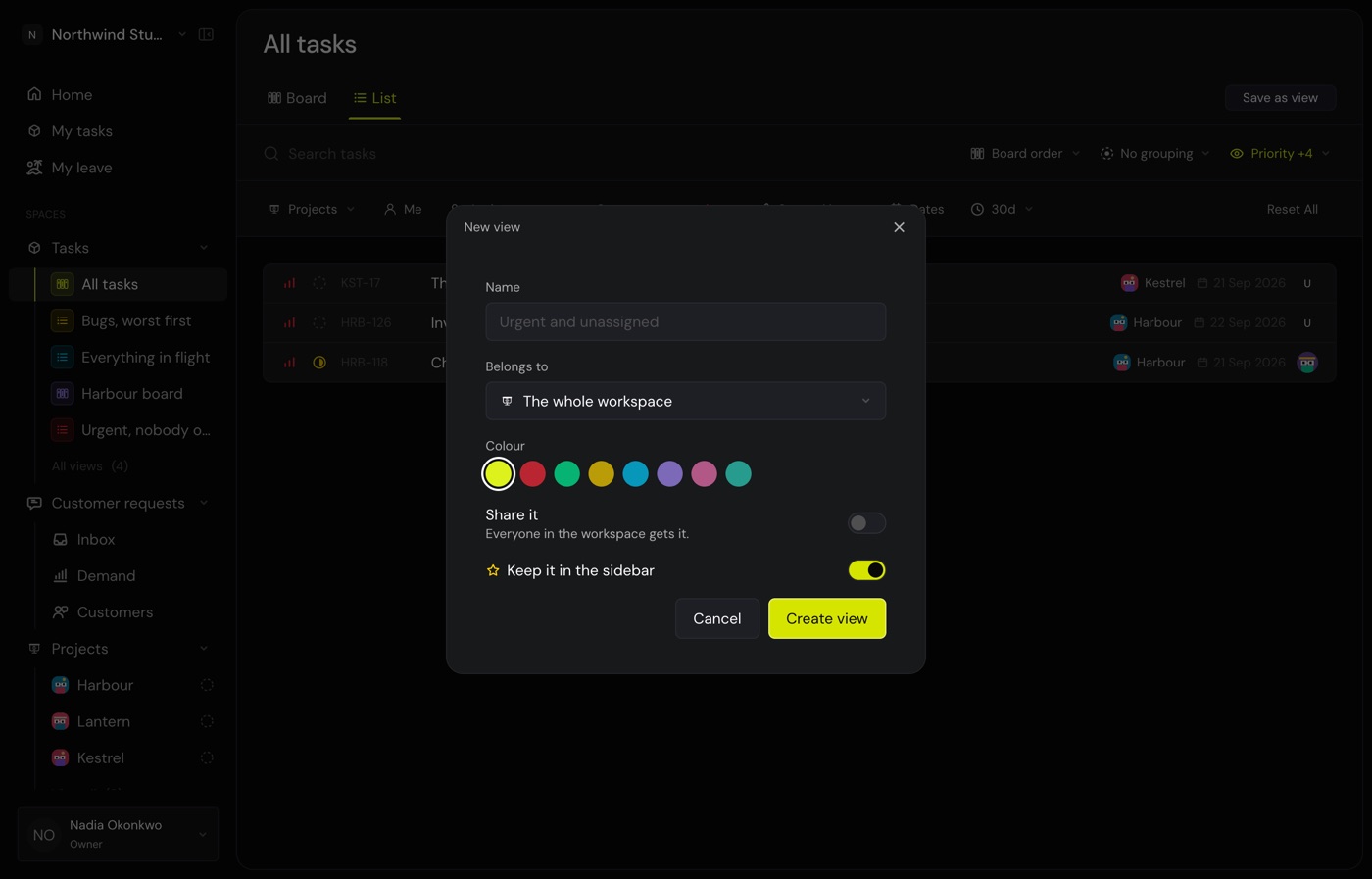
| Choose | And it is seen by |
|---|---|
| Private | You. It still sits in your sidebar. |
| Shared | Everyone in the workspace. |
| Shared, in a project | Everyone who can see that project. A contractor sees it only if they hold a task there. |
Open a view
Click it in the sidebar. Starred views live under Tasks. The rest are on the Views page, grouped by where they belong.
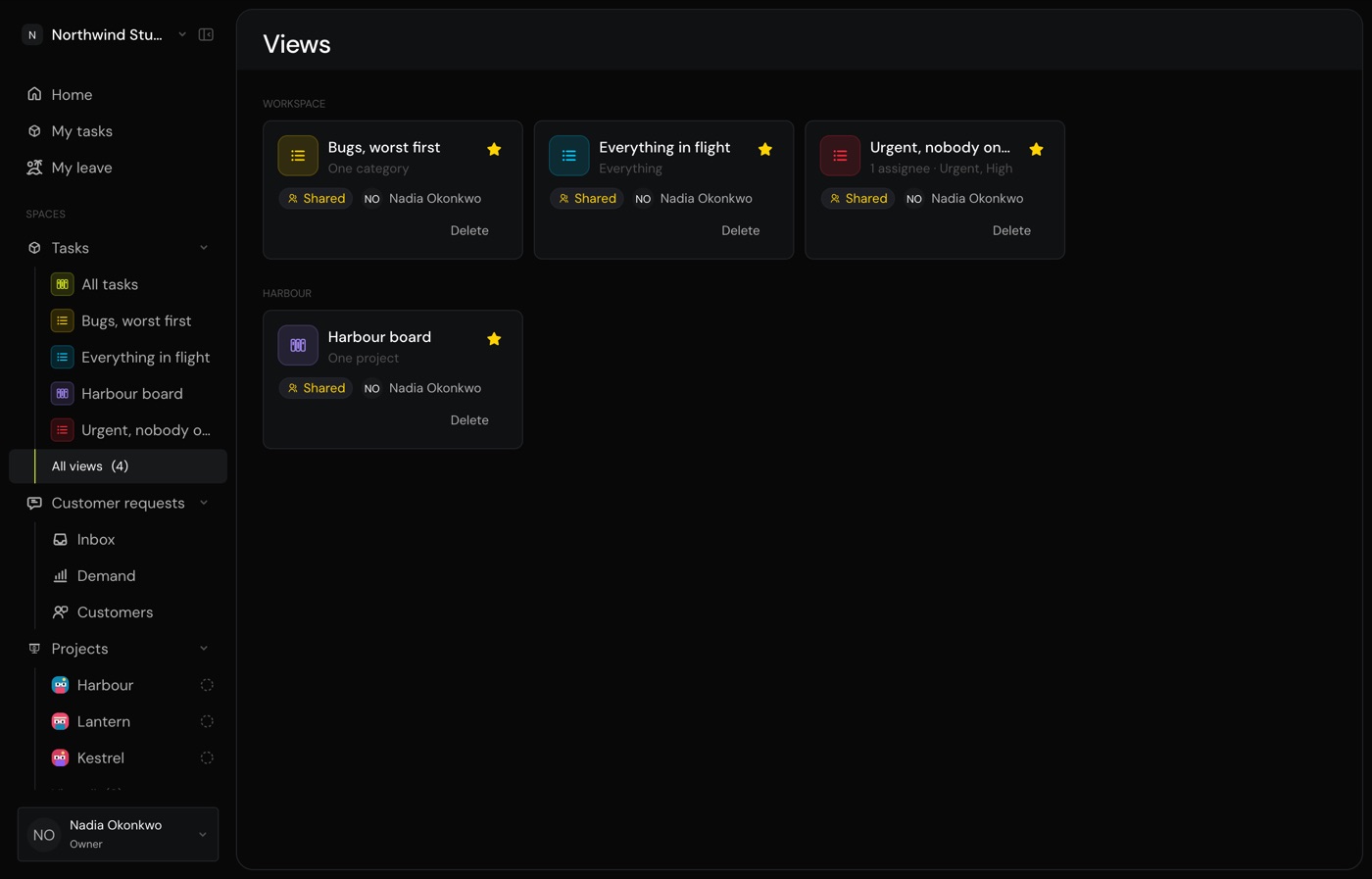
A view that belongs to a project opens on that project, so you keep its header and its tabs.
Change a view
Change a filter while a view is open and two buttons appear.
- Save changes writes the new filters into the view, for everybody who has it. You see it only if you may edit that view, which means its owner or an admin.
- Discard puts the view back the way it was saved.
Set how everybody sees it
Switching a shared view to a list, folding a group or turning a column off changes it for you alone. When you want everybody to get your version, click Set as default.
Star and unstar
The star decides whether a view sits in your sidebar. Unstar it and it stays on the Views page, out of the way but not gone.
Common questions
Can I send somebody a link to a view?
Yes. Copy the address. It carries the filters, so it works even for somebody who cannot see the saved view. They get the same board, they just do not get the view in their sidebar.
I changed the layout but my teammate still sees the old one.
That is deliberate. Click Set as default to push your layout to everybody.
Why can I not edit a view somebody shared with me?
Only its owner or an admin can. You can still change the filters for yourself, and the view is simply not updated.
What happens to a view if its project is deleted?
The view survives and becomes a workspace view. Nothing is lost because somebody tidied up.
Who can delete a view?
Its owner, or an owner or admin of the workspace.