
Customers
Who is asking, and everything they have asked for.
Keep track of who is asking. Each customer holds everything they have requested and what happened to it.
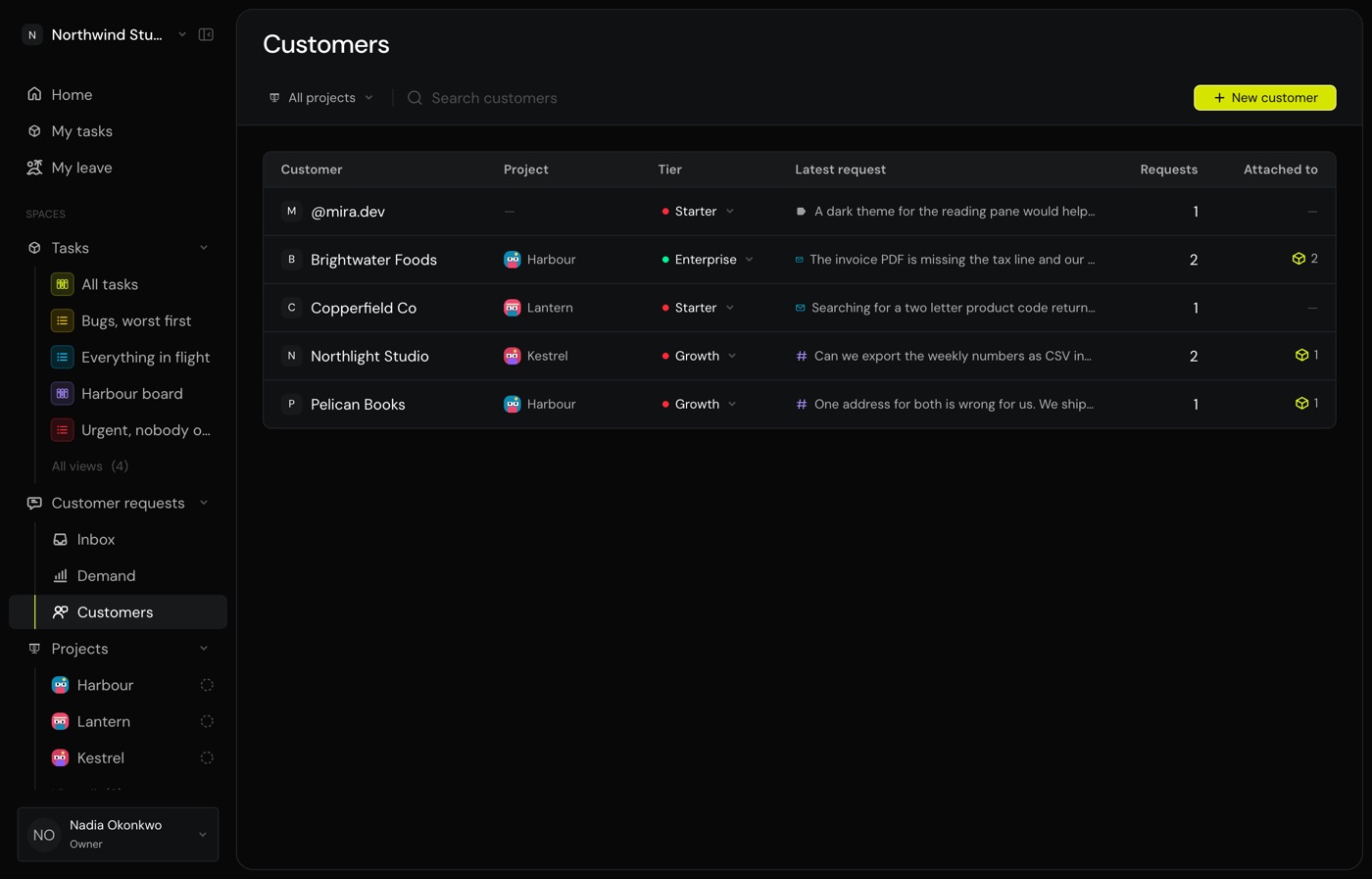
Add a customer
Press New customer. A name is all that is required. The email, the tier and the project are there when you know them and can be filled in later.
You do not have to start here. Writing a request lets you name a customer who is not on the list yet and creates them as you send it. Adding them first suits a team that keeps the list deliberately, after a signed contract rather than after the first complaint.
Open one
A customer’s own page holds their tier, their project, and every request they have made with whatever each one is attached to.
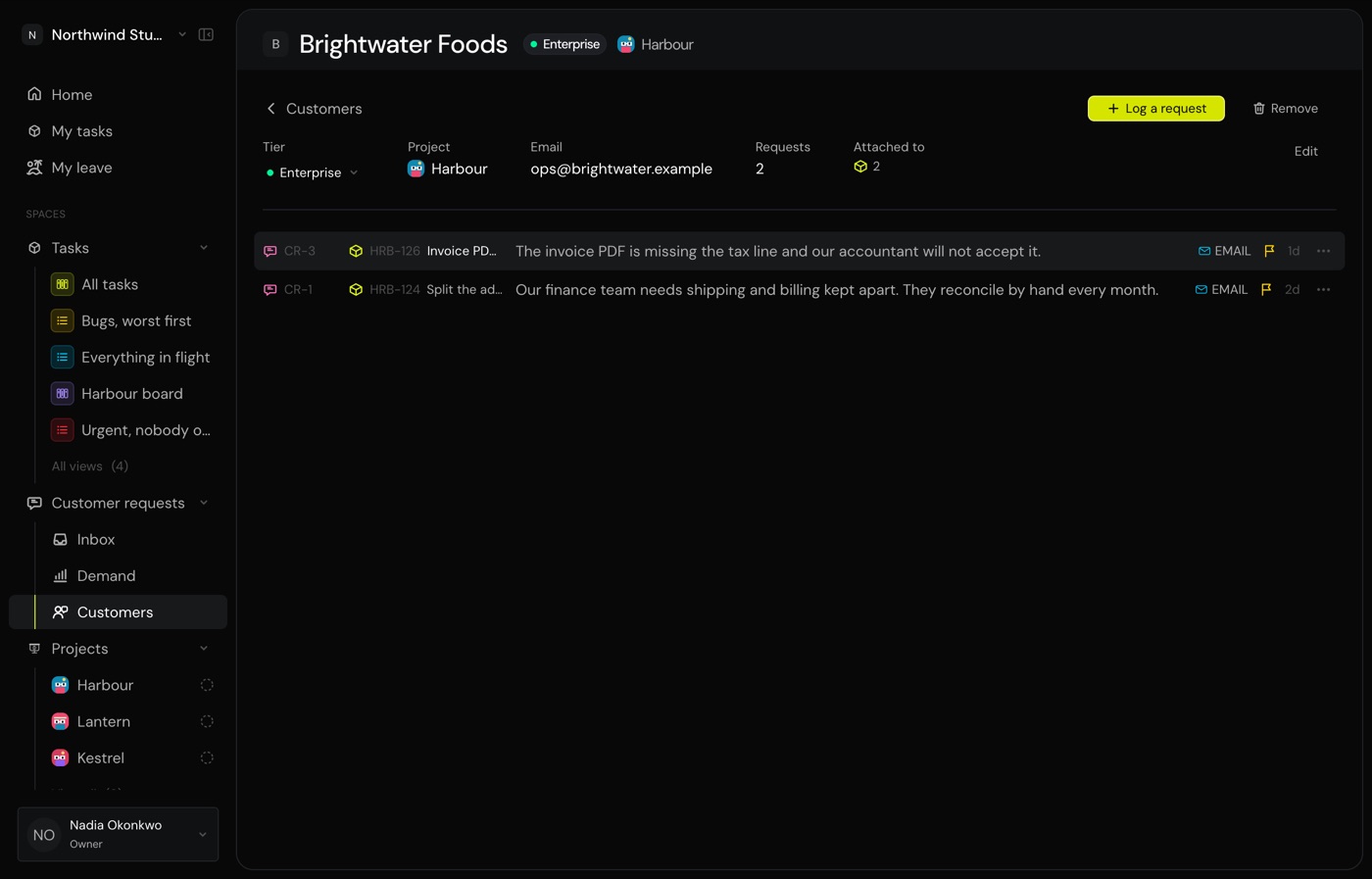
Log a request for them
Press Log a request and the customer is already filled in, so a call can be written up without searching for them again. Everything else works the way it does from the inbox.
Prepare for a call
Before a renewal, or after a complaint, this is the page that answers “what have they actually asked us for, and did we do it”.
Set a tier
A tier is your own label, not a plan Monkies enforces. Pick one the workspace already uses or type a new one. It travels with the customer wherever they are shown.
Remove a customer
An owner or an admin can remove one, behind a confirmation that names what goes with them.
Common questions
Do customers get a login?
No. A customer is a record of who asked, not an account.
What does giving a customer a project do?
It keeps their requests on that project’s work, so a request from one customer never lands on another project’s task by accident.
Can I remove a customer without losing what they asked for?
Not by removing them. If the record matters, leave the customer in place. Nothing obliges you to keep them tidy, and a customer with no recent requests costs nothing.
Who can add or remove one?
Owners, admins and members can add a customer and edit one. Only an owner or an admin can remove one, because removing destroys a record everybody else reads.