
The board
Every task in your workspace, in the columns your team works in.
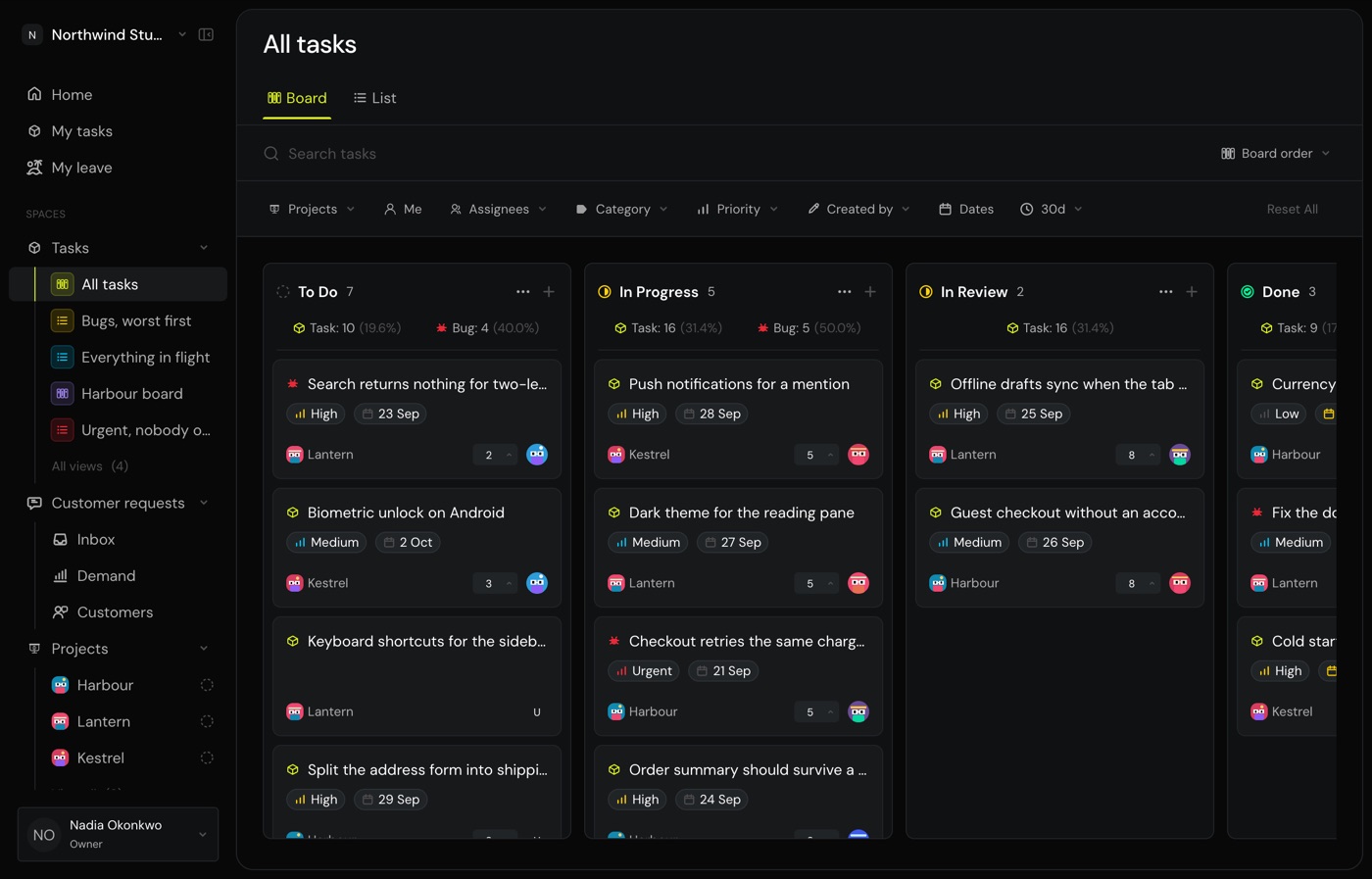
See every task in your workspace, arranged in the columns your team works in. Drag a card to move it.
Move a task
Drag a card to another column, or open it and change its status there. Dragging works only when the board is in Board order. Sort it any other way and the sort decides where a card goes, so there is nothing to drag into.
Read a card
A card shows its key, its title, its priority, its project and who holds it. If it has subtasks, it shows how many are done. If customers are waiting on it, it shows how many of those.
Click a card to open it. The board stays behind, so closing puts you back where you were.
Add a task
Use the + at the top of a column. It lands in that column, so you never have to move it afterwards.
Control how far back finished work goes
Finished columns show the last 30 days, most recently finished first. Change that with the 30d control. Searching ignores it, because a search should look everywhere.
Common questions
Why can I not drag cards?
The board is sorted by something other than Board order. Set the sort back to Board order and dragging returns.
A task I finished last month is missing.
Finished columns only reach back 30 days by default. Widen the 30d control, or search for it.
Can I hide a column?
Yes, from the column's menu. It is yours alone, so teammates still see it, and Monkies remembers it.